
MFC-7225N
 |
FAQs & Troubleshooting |
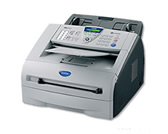
MFC-7225N
Search by Keyword(s)
Categorised
How To / Troubleshooting
Setup / Settings
Consumables & Accessories / Routine Maintenance
Others
Popular
Updated:22/10/2026
These are the most viewed FAQs, ranked by popularity.
- 1.The error message "No Supported Devices Found" appears in Brother iPrint&Scan (mobile device).
- 2.My documents are not feeding through the Automatic Document Feeder (ADF) when I try to send a fax, scan to the PC, or make a copy.
- 3.The printer status is Offline or Paused.
- 4.Scan and save a document in PDF format (Scan to File)
- 5.I get the error message Type 1,010 when I am trying to scan into Mac OS® 9
Latest
These are the latest FAQs, sorted by last update date.
16/10/2026
I still receive the error message "Change Drum Soon" after I replace the drum unit with a new one.
16/10/2026
Scan to Email does not work with Outlook 2002, Outlook 2003 or Outlook 2007. What can I do?
16/10/2026
I'm using Voice Over Internet Protocol (VoIP) and am having problems receiving faxes.
16/10/2026
Which E-mail packages are compatible with ControlCenter2? (For Windows 2000/XP)
16/10/2026
Which E-mail packages are compatible with ControlCenter3?