
MFC-295CN
 |
FAQs & Troubleshooting |
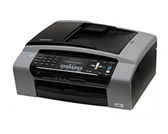
MFC-295CN
Search by Keyword(s)
Categorised
How To / Troubleshooting
Setup / Settings
Consumables & Accessories / Routine Maintenance
Others
Popular
Updated:18/09/2026
These are the most viewed FAQs, ranked by popularity.
- 1.I installed the Full Driver & Software Package, but some applications were not installed. (For Windows 10)
- 2.The error message "No Supported Devices Found" appears on the Brother iPrint&Scan screen (mobile device).
- 3.When I try to scan to OCR I get the message "This feature is not available because there is no OCR Software installed"
- 4.When I try to scan the document, the scanner application crashes. (OS X 10.11)
- 5.Can I print from or scan to Android™ Smartphone?
Latest
These are the latest FAQs, sorted by last update date.
26/08/2026
The error message "No machine found" appears when I installed drivers with USB connection (For Windows 11).
10/06/2026
How to identify your Operating System (OS).
13/05/2026
Check the kind of scanner driver installed by connecting the USB / Parallel cable.
13/05/2026
Print using only the black ink cartridge when the Colour cartridges have run out.
17/03/2026
I cannot install the printer driver or print in Windows 11.