
HL-5070N
 |
FAQs & Troubleshooting |
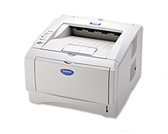
HL-5070N
Search by Keyword(s)
Categorised
How To / Troubleshooting
Setup / Settings
Consumables & Accessories / Routine Maintenance
Others
Popular
Updated:09/10/2026
These are the most viewed FAQs, ranked by popularity.
- 1.The printer status is Offline or Paused.
- 2.The error message "Invalid format for short nick name" appears when printing a document. (Mac OS X 10.5 or greater)
- 3.The printer cannot print full pages of a document. An error message MEMORY FULL is printed.
- 4.What are the differences between the BRAdmin Professional and the Web BRAdmin software?
- 5.I'm experiencing a problem when printing from Adobe® Acrobat®/ Acrobat® Reader®/ Reader®.
Latest
These are the latest FAQs, sorted by last update date.
10/06/2026
How to identify your Operating System (OS).
30/04/2026
Uninstall the printer drivers (For Windows)
12/02/2026
I cannot find a file downloaded from the Brother support website (For Windows)
14/05/2025
I cannot print from my computer via USB.
14/12/2023
Discover the MAC address of the Brother network card