
HL-3450CN
 |
FAQs & Troubleshooting |
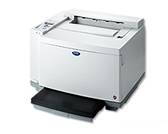
HL-3450CN
Search by Keyword(s)
Categorised
How To / Troubleshooting
Setup / Settings
Consumables & Accessories / Routine Maintenance
Others
Popular
Updated:27/10/2026
These are the most viewed FAQs, ranked by popularity.
- 1.The printer status is Offline or Paused.
- 2.What are the difference between the PCL Driver and the BR-Script driver?
- 3.What are Windows ICM profiles?
- 4.How do I check which driver I'm using, a PCL driver or a BR-Script driver.
- 5.The error message "No Supported Devices Found" appears in Brother iPrint&Scan (mobile device).
Latest
These are the latest FAQs, sorted by last update date.