
HL-2035
 |
FAQs & Troubleshooting |
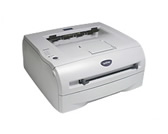
HL-2035
Search by Keyword(s)
Categorised
How To / Troubleshooting
Setup / Settings
Consumables & Accessories / Routine Maintenance
Others
Popular
Updated:11/09/2026
These are the most viewed FAQs, ranked by popularity.
- 1.The printer does not feed paper from the manual feed slot.
- 2.The Drum LED is still on or flashing after I replace the drum unit with a new one.
- 3.The error message "No Supported Devices Found" appears in Brother iPrint&Scan (mobile device).
- 4.The printer status is Offline or Paused.
- 5.The Toner LED is still on or flashing after replacing the toner cartridge, or the status monitor continues to display the message "Toner Low" or "Toner Life End".
Latest
These are the latest FAQs, sorted by last update date.
10/06/2026
How to identify your Operating System (OS).
12/02/2026
I cannot find a file downloaded from the Brother support website (For Windows)
14/05/2025
I cannot print from my computer via USB.
12/07/2023
Uninstall the drivers. (Mac OS X 10.6 - macOS 12)
21/06/2023
Delete print jobs from the print queue.