
MFC-J5117DW
 |
FAQs & Troubleshooting |
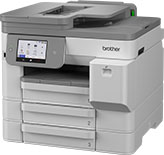
MFC-J5117DW
Search by Keyword(s)
Categorised
How To / Troubleshooting
Setup / Settings
Consumables & Accessories / Routine Maintenance
Others
Popular
Updated:22/10/2026
These are the most viewed FAQs, ranked by popularity.
- 1.I get the “Authentication Error” or “Receiving Error” message when using Microsoft Exchange Online.
- 2.I cannot repair the wired or wireless connection using the Network Connection Repair Tool (Windows)
- 3.I updated my Windows 11 PC through Windows Update and I can no longer Print, Scan or Fax from my PC.
- 4.I cannot print because my machine is offline or paused.
- 5.(Video) Print on Both Sides of the Paper Automatically Using Brother iPrint&Scan (Automatic 2-sided Printing)(Windows/Mac)
Latest
These are the latest FAQs, sorted by last update date.
