
MFC-590
 |
FAQs & Troubleshooting |
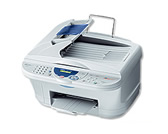
MFC-590
Search by Keyword(s)
Categorised
How To / Troubleshooting
Setup / Settings
Consumables & Accessories / Routine Maintenance
Others
Popular
Updated:16/11/2026
These are the most viewed FAQs, ranked by popularity.
- 1.The error message "No Supported Devices Found" appears on the Brother iPrint&Scan (mobile device).
- 2.The printer status is Offline or Paused.
- 3.Delete print jobs from the print queue.
- 4.Install the Windows 7 built-in drivers from the Windows Update provided by Microsoft®.
- 5.When I print from Outlook/ Outlook Express or Internet Explorer, the page does not print as expected. For example, the right or left hand portion of the page is blank or it prints on a separate piece of paper.
Latest
These are the latest FAQs, sorted by last update date.
01/10/2026
I'm using Mac OS® 8.6-9.2. How can I uninstall the drivers?
01/06/2026
How to identify your Operating System (OS).
16/04/2025
I cannot print from my computer via USB.
27/06/2023
I'm using Ubuntu 23.04 on their derivatives. I cannot print from Brother Inkjet Printer. (Linux)
27/06/2023
Uninstall the drivers. (Mac OS X 10.6 - macOS 12)