
DCP-110C
 |
FAQs & Troubleshooting |
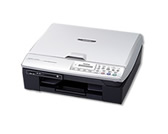
DCP-110C
Search by Keyword(s)
Categorised
How To / Troubleshooting
Setup / Settings
Consumables & Accessories / Routine Maintenance
Others
Popular
Updated:22/10/2026
These are the most viewed FAQs, ranked by popularity.
- 1.The error message "No Supported Devices Found" appears on the Brother iPrint&Scan (mobile device).
- 2.I'm using Mac OS® 9. I get an Error message of Type 1,010 when I am trying to scan into my Macintosh®. What can I do?
- 3.When I try to scan to OCR I get an error message saying "This feature is not available because there is no OCR Software installed".
- 4.I cannot install Brother drivers on Debian 10 or later (Linux)
- 5.What driver package format is supported by my Linux distribution?
Latest
These are the latest FAQs, sorted by last update date.
01/10/2026
Scan to Email does not work with Outlook2003 or Outlook2007. What can I do? (For ControlCenter3 Users)
01/10/2026
Scan to Email does not work with Outlook2002, Outlook2003 or Outlook2007. What can I do?
01/10/2026
Which E-mail packages are compatible with ControlCenter2? (For Windows 2000/XP)
01/10/2026
Which E-mail packages are compatible with ControlCenter3?
01/10/2026
When selecting grayscale printing in the printer driver, does this use only the black ink or all the ink cartridges to produce the grayscale image?