
QL-1050/1050N
 |
FAQs & Troubleshooting |
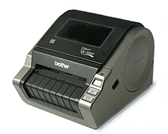
QL-1050/1050N
Search by Keyword(s)
Categorized
Getting Started
Easy Tasks
Troubleshooting
Others
Popular
Updated:16/10/2026
These are the most viewed FAQs, ranked by popularity.
- 1.Where can I download the latest P-touch Editor for Mac?
- 2.I get an error when connecting Excel (.xlsx, .xlsm) or Access (.accdb) database files in P-touch Editor 5.4.017 or later (Windows)
- 3.I get an error saying "The roll of labels or tape inside the machine does not match the one selected in the application." (P-touch Editor 5.0 for Windows)
- 4.I cannot print on the 103 mm wide label roll via USB using the latest printer driver.
- 5.P-touch Editor sometimes crashes. (For Office 2013 or 2016 users)
Latest
These are the latest FAQs, sorted by last update date.
11/09/2026
I get an error when connecting Excel (.xlsx, .xlsm) or Access (.accdb) database files in P-touch Editor 5.4.017 or later (Windows)
06/07/2026
Printing is not possible. (USB connection) (for Windows)
28/05/2026
Transfer Express cannot detect my printer when it is connected to a Windows 11 computer via USB.
13/04/2026
How to identify your Operating System (OS)
06/03/2026
How to open the Devices and Printers window