HL-2135W
 |
FAQs & Troubleshooting |
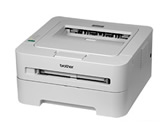
HL-2135W
Search by Keyword(s)
Categorized
How To / Troubleshooting
Setup / Settings
Consumables & Accessories / Routine Maintenance
Others
Popular
Updated:05/10/2026
These are the most viewed FAQs, ranked by popularity.
- 1.Configure the Brother machine for a wireless network using automatic wireless mode (Wi-Fi Protected Setup or AOSS™)
- 2.Configure the Brother machine for a wireless network with a USB cable using the Wireless setup wizard on the Brother installer application
- 3.I just replaced the toner cartridge and the LCD continues to display the message "Toner Low" / "Replace Toner" / "Toner Ended" or the Toner LED is still on or flashing.
- 4.REPLACE TONER
- 5.(Video) The error message "No Supported Devices Found" appears on the Brother iPrint&Scan screen (mobile device).
Latest
These are the latest FAQs, sorted by last update date.
01/10/2026
The Drum LED is still on or flashing after I replace the drum unit with a new one.
01/10/2026
I cannot connect my machine to the wireless network (For Macintosh)
01/10/2026
I cannot connect my machine to the wireless network (For Windows)
01/10/2026
Configure the Brother machine for a wireless network with a USB cable using the Wireless setup wizard on the Brother installer application
01/10/2026
REPLACE DRUM