
DS-940DW
 |
FAQs & Troubleshooting |
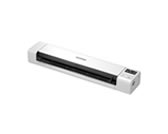
DS-940DW
Search by Keyword(s)
Categorized
How To / Troubleshooting
Setup / Settings
Consumables & Accessories / Routine Maintenance
Others
Popular
Updated:26/11/2026
These are the most viewed FAQs, ranked by popularity.
- 1.The error message "No Supported Devices Found" appears when I tap the Brother iPrint&Scan icon on my mobile device.
- 2.(Video) Load Non-standard Size Document
- 3.(Video) Load a Plastic Card
- 4.(Video) Load Standard Size Document
- 5.Blank scans or images not displayed when the "Image Correction" setting is enabled in the ICA driver (macOS 26)
Latest
These are the latest FAQs, sorted by last update date.
17/09/2026
I get notifications about Intel-based apps on my Mac with Apple silicon.
18/08/2026
The computer name does not appear on the machine’s LCD. (Windows)
05/08/2026
Blank scans or images not displayed when the "Image Correction" setting is enabled in the ICA driver (macOS 26)
31/07/2026
Change the General Settings with the USB connection
31/07/2026
Set Up the Brother Machine Using Remote Setup (Mac)
