
DCP-9042CDN
 |
FAQs & Troubleshooting |
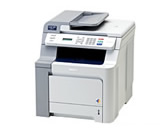
DCP-9042CDN
Search by Keyword(s)
Categorized
How To / Troubleshooting
Setup / Settings
Consumables & Accessories / Routine Maintenance
Others
Popular
Updated:24/09/2026
These are the most viewed FAQs, ranked by popularity.
- 1.My printed documents are incomplete or a blue screen appears when printing or using PC-FAX after a Windows 10 update (March 2021)
- 2.What is Brother iPrint&Scan?
- 3.Unable to print or scan when using Brother iPrint&Scan from my Android™ mobile device.
- 4.Why is legal scanning not an option on my Windows XP / Windows Vista computer when using the WIA driver?
- 5.I get an error "Print Queue is stopped". (Mac OS X 10.2 - 10.4)
Latest
These are the latest FAQs, sorted by last update date.
01/06/2026
How to identify your Operating System (OS).
05/02/2026
I cannot find a file downloaded from the Brother support website (For Windows)
19/01/2026
I can print but cannot scan via network. (For Mac)
05/11/2025
I cannot find some option in the Printing preferences. (For Windows)
16/04/2025
I cannot print using my Brother machine on a wired network. (Windows/macOS)