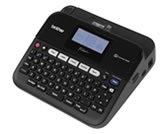
PT-D450
FAQs & Troubleshooting |

PT-D450
Search by Keyword(s)
Categorized
Getting Started
Easy Tasks
Troubleshooting
Others
Popular
Updated:03/04/2026
These are the most viewed FAQs, ranked by popularity.
- 1.I cannot install the printer driver or print in Windows 11.
- 2.How to use Excel data to print labels (P-touch Editor 5.x for Windows)
- 3.How do I initialize and clear the printer to factory default settings?
- 4.I cannot save a file downloaded from the Brother support website (For Windows)
- 5.My label is printing like a mirror image. How do I enable/disable the Mirror Printing option? (P-touch Editor 5.x for Windows)
Latest
These are the latest FAQs, sorted by last update date.
06/03/2026
How to open the Devices and Printers window
06/03/2026
How do I uninstall the printer driver?
05/01/2026
The printed label contains blank horizontal lines.
05/01/2026
The label is not printed correctly.
18/07/2025
Some functions available in P-touch Editor 5.4 are not available in P-touch Editor 6.x. (for Windows)