
PT-D410
 |
FAQs & Troubleshooting |
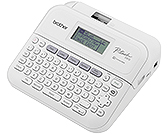
PT-D410
Search by Keyword(s)
Categorized
Getting Started
Easy Tasks
Troubleshooting
Others
Popular
Updated:14/09/2026
These are the most viewed FAQs, ranked by popularity.
- 1.How do I connect the printer to my computer using a USB cable?
- 2.I cannot install the printer driver or print in Windows 11.
- 3.Printing is not possible. (USB connection) (for Windows)
- 4.I cannot select my printer in P-touch Editor. (For macOS 10.13 or later)
- 5.How do I uninstall the printer driver?
Latest
These are the latest FAQs, sorted by last update date.