

Home > Copy > Copy Using Brother iPrint&Scan > Copy Settings Using Brother iPrint&Scan (Windows/Mac)


Copy Settings Using Brother iPrint&Scan (Windows/Mac)
| Option | Description |
|---|---|
| Copies | Enter the number of copies (1-99). |
| Color / Mono | Color | Makes copies in full color. |
| Mono | Makes copies in black and white. |
| Enlarge/Reduce | 100% | - |
| Scaling | Select an option to enlarge or reduce the size of the pages in your document. |
| Fit to Page | Adjusts the copy size to fit on the paper size you have set. |
| Custom(25-400%) | Enter an enlargement or reduction ratio. |
| Density | Increase the density to make the text darker. Decrease the density to make the text lighter. |
| Paper Size | Select a paper size. If copying on paper other than Letter size, you must change the Paper Size setting. |
| Page Layout | Make N in 1, 2 in 1 ID, or Poster copies. |
|
4 in1 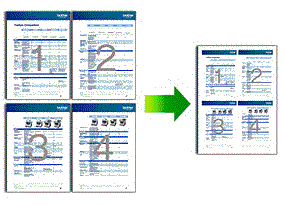 |
Poster  |
| Quality | Select the Copy resolution for your type of document. |
| Paper Type | Select a paper type. If copying on special paper, set the machine for the type of paper you are using to get the best print quality. |
| Remove Color Background or Remove Black Background | Removes the document's background color in copies. The white becomes more apparent. This saves some ink and may make certain copies easier to read. 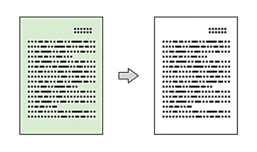 |