| |
|
| 1 |
Switch the machine ON.
|
| 2 |
From the Go menu, select Applications.
|
| 3 |
Open the Utilities folder.
|
| 4 |
Double click the Printer Setup Utility Icon. (Mac OS® X 10.2.x users, click the Print Center icon.)
|
| 5 |
Click Add.
(For Mac OS® X 10.2.4 to 10.3.x) Go to 6.
(For Mac OS® X 10.4) Go to 7.
|
| 6 |
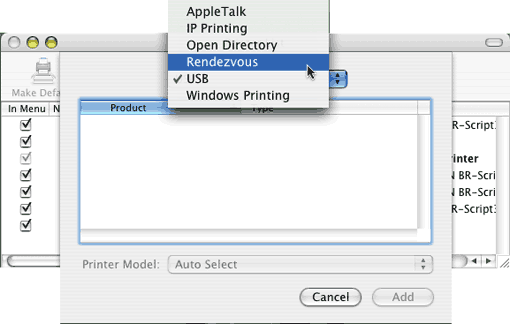
(For Mac OS®X 10.2.4 to 10.3.x)
Make the following selection.
|
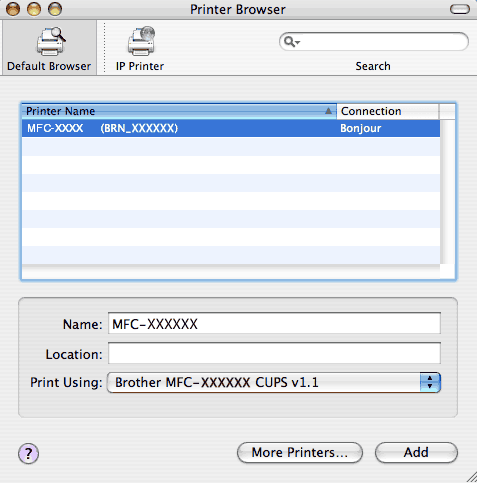
| 7 |
Select Brother MFC-XXXX (XXXX is your model name), and then click Add.
|
| 8 |
Click the printer, then click Make Default to set the printer as the default printer. The printer is now ready.
|
| |
|