The CD-ROM includes the Software User’s Guide and Network User’s Guide (DCP-540CN only) for features available when connected to a computer (for example, printing and scanning). The guide has easy to use links that, when clicked, will take you directly to a particular section.
You can find information on these features:
| • | Printing |
| • | Scanning |
| • | ControlCenter3 (for Windows®) |
| • | ControlCenter2 (for Macintosh®) |
| • | PhotoCapture Center® |
| • | Network Printing (DCP-540CN only) |
| • | Network Scanning (DCP-540CN only) |
How to read the HTML User’s Guide
This is a quick reference for using the HTML User’s Guide.
(For Windows®)

Note
| 1 | From the Start menu, point to Brother, from the programs group, then click User’s Guide. |
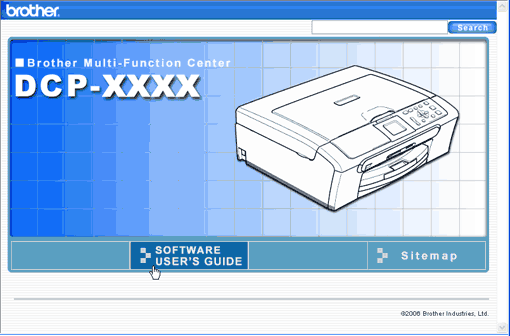
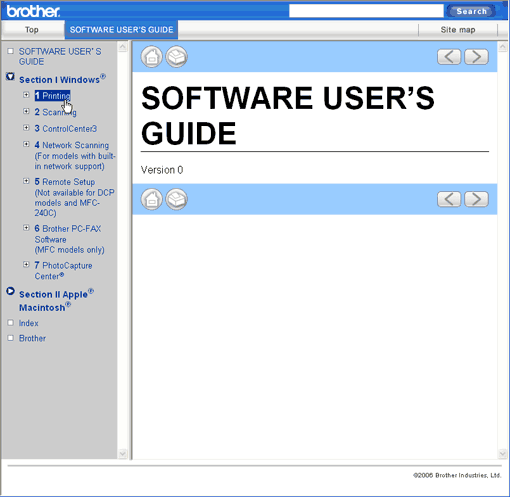
| 2 | Click SOFTWARE USER’S GUIDE (or NETWORK USER’S GUIDE) from the top menu. |
| 3 | Click the heading you would like to view from the list at the left of the window. |
(For Macintosh®)
| 1 | Make sure your Macintosh® is turned on. Insert the Brother CD-ROM into your CD-ROM drive. The following window will appear. |
| 2 | Double-click the Documentation icon. |
| 3 | Double-click your language folder, and then double-click the top page file. |
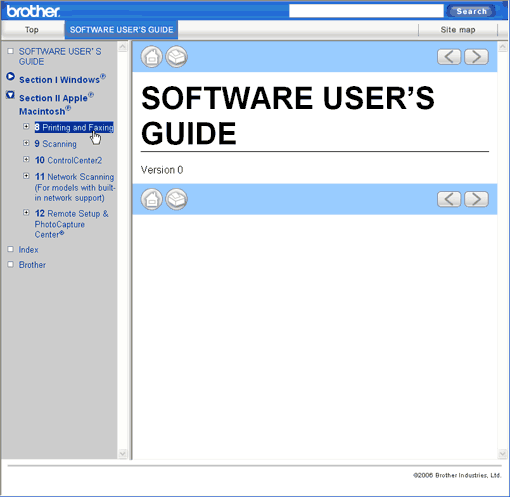
| 4 | Click SOFTWARE USER’S GUIDE (or NETWORK USER’S GUIDE) in the top menu, and then click the heading you would like to read from the list at the left of the window. |