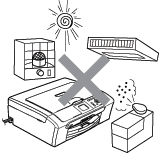
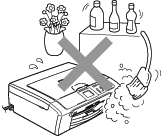
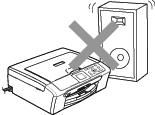
Put your machine on a flat, stable surface that is free of vibration and shocks, such as a desk. Put the machine near a standard AC power outlet. Choose a location where the temperature remains between 50° F and 95° F (10° and 35° C).


CAUTION
| | | • | Avoid placing your machine in a high-traffic area. | | • | Avoid placing your machine on carpet. | | • | DO NOT put the machine near heaters, air conditioners, refrigerators medical equipment, chemicals or water. | | • | DO NOT expose the machine to direct sunlight, excessive heat, moisture, or dust. | | • | DO NOT connect your machine to electrical outlets controlled by wall switches or automatic timers. | | • | Disruption of power can wipe out information in the machine's memory. | | • | Do not connect your machine to electrical outlets on the same circuit as large appliances or other equipment that might disrupt the power supply. | | • | Avoid interference sources, such as speakers or the base units of non-Brother cordless phones. |
|

To use the machine safely
Please keep these instructions for later reference and read them before attempting any maintenance.

WARNING
| | There are high voltage electrodes inside the machine. Before you clean the inside of the machine, make sure you have unplugged the power cord from the AC power outlet. Doing this will prevent an electrical shock. |
| | DO NOT handle the plug with wet hands. Doing this may cause an electrical shock. Always make sure the plug is fully inserted. |
| | DO NOT pull in the middle of the AC power cord. Doing this may cause an electrical shock. |
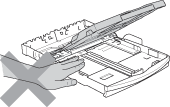
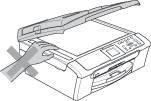
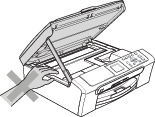
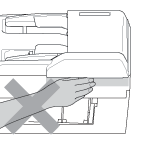
| | DO NOT put your hands on the edge of the machine under the document cover or the scanner cover. Doing this may cause injury. |
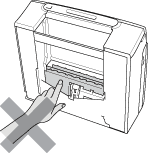
| | DO NOT put your hands on the edge of the paper tray under the output paper tray cover. Doing this may cause injury. |
| | DO NOT touch the paper feed roller. Doing this may cause injury. |
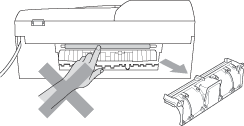
| | DO NOT touch the area shaded in the illustration. Doing this may cause injury. |
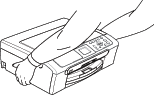
| | When moving the machine you must lift it from the base, by placing a hand at each side of the unit as shown in the illustration. Do not carry the machine by holding the scanner cover. |
| | If the machine becomes hot, releases smoke, or generates any strong smells, immediately unplug the machine from the AC power outlet. Call Brother Customer Service. (See Brother numbers.) |
| | If metal objects, water or other liquids get inside the machine, immediately unplug the machine from the AC power outlet. Call Brother Customer Service. (See Brother numbers.) |
WARNING
| | | • | This product must be installed near an AC power outlet that is easily accessible. In case of an emergency, you must unplug the power cord from the AC power outlet to shut off the power completely. | | • | Always make sure the plug is fully inserted. | | • | To reduce the risk of shock or fire, use only a No. 26 AWG or larger telecommunication line cord. |
|
CAUTION
| | Lightning and power surges can damage this product! We recommend that you use a quality surge protection device on the AC power line or unplug the cords during a lightning storm. |