

Home > Paper Handling > Load Documents > Preset the Orientation of Letter or A4 Size Documents When Using Scanner Glass


Preset the Orientation of Letter or A4 Size Documents When Using Scanner Glass
Letter or A4 size documents can be placed on the scanner glass in either portrait or landscape orientation.
Follow these instructions to preset your preferred document orientation.
| Portrait orientation 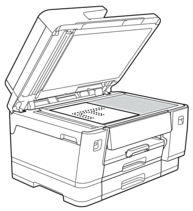 | Landscape orientation 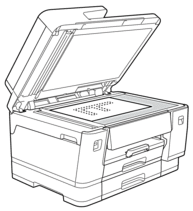 |
- Press
 .
. - Select one of the following options:OptionDescriptionAuto Detect
When you place a Letter or A4 size document on the scanner glass, your machine detects the orientation automatically.
PortraitSet the orientation to portrait.
LandscapeSet the orientation to landscape.
- If a document orientation message appears, press [OK] to confirm.
- Press
 .
.

After setting your preferred orientation in the [Letter/A4 Paper Orientation] menu, make sure you place your documents on the scanner glass in this orientation.
Did you find the information you needed?