


| | |
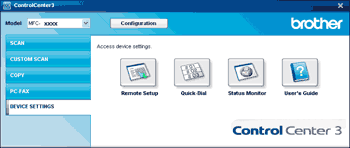
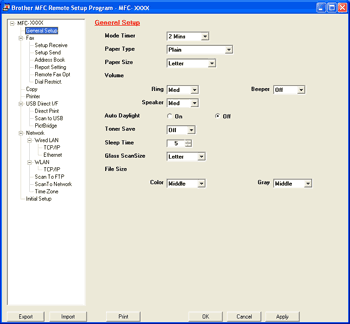
| • | Remote Setup (MFC-9120CN and MFC-9320CW only) Lets you open the Remote Setup Program. (See Remote Setup.) |
| • | Quick-Dial (MFC-9120CN and MFC-9320CW only) Lets you open the Set Quick-Dial window of Remote Setup. (See Remote Setup.) |
| • | Status Monitor Allows you to open the Status Monitor Utility. (See Status Monitor.) |
| • | User’s Guide Lets you view the User’s Guide, the Software User’s Guide and the Network User’s Guide. |
 Note
NoteFor details, see Remote Setup. |
| | |