


| | |
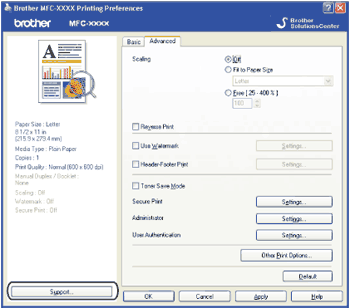
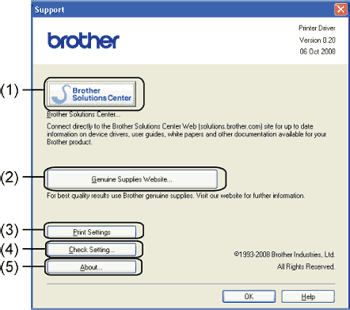
| • | The Brother Solutions Center (http://solutions.brother.com/) is a web site offering information about your Brother product including FAQs (Frequently Asked Questions), User’s Guides, driver updates and tips for using your printer. |
| • | You can visit our website for original/genuine Brother supplies by clicking this button. |
| • | This will print the pages that show how the internal settings of the printer have been configured. |
| • | You can check the current driver settings. |
| • | This will show the list of the printer driver files and version information. |
| | |