

Home > Troubleshooting > Paper Jams > Paper is Jammed in the Output Paper Tray


Paper is Jammed in the Output Paper Tray
When the paper is jammed in the output paper tray, follow these steps:
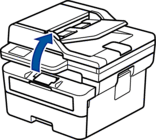
- Use both hands to open the scanner.
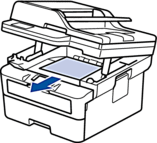
- Remove the paper.
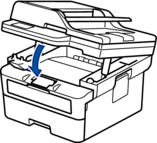
- Push the scanner down with both hands to close it.
Did you find the information you needed?