

Home > Mobile/Web Connect > Mopria™ Print Service and Mopria™ Scan


Mopria™ Print Service and Mopria™ Scan
| Mopria™ Print Service is a print feature and Mopria™ Scan is a scan feature on Android™ mobile devices developed by the Mopria Alliance™. With this service, you can connect to the same network as your machine to print and scan without additional setup. |  |
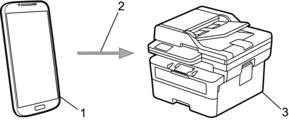
- Android™ Mobile Device
- Wi-Fi® Connection
- Your Machine
You must download the Mopria™ Print Service or Mopria™ Scan from Google Play™ and install it on your Android™ device. Before using these Mopria™ features, make sure you enable them on your mobile device.
Did you find the information you needed?