



Enlarge or Reduce Copied Images
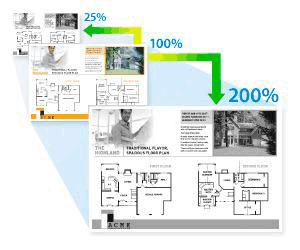
Select an enlargement or reduction ratio to resize your copied data.
- Press
 or
or  to enter the number of copies you want.
 - Press 复印/扫描 选项.
- Press or to select [Enlarge/Reduce], and then press OK.
- Press or to select the option you want. Press OK.
- Do one of the following:
- If you select [Enlarge] or [Reduce], press or to select the enlargement or reduction ratio you want to use. Press OK.
- If you select [Custom(25-400%)], press or to enter an enlargement or reduction ratio from [25%] to [400%] and then press OK.
- If you select [100%], go to the next step.
- When finished, press 启动.

- [Auto] sets the machine to calculate the reduction ratio that best fits the size of paper.
[Auto] is only available when using the ADF.
Did you find the information you needed?