| | |
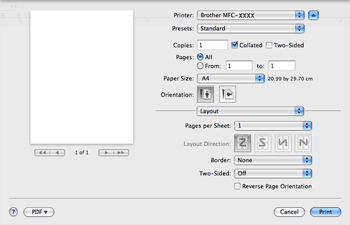
| • | Pages per Sheet Choose how many pages will appear on each side of the paper. |
| • | Layout Direction When you specify the pages per sheet, you can also specify the direction of the layout. |
| • | Border If you want to add a border, use this function. |
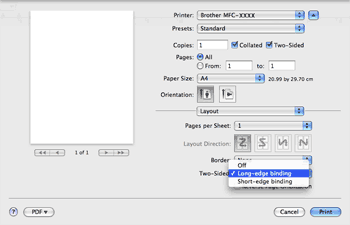
| • | Two-Sided See Duplex Printing. |
| • | Reverse Page Orientation (Mac OS® X 10.5.x) Check Reverse Page Orientation to reverse the data from up to down. |
| | |