Scan to Image
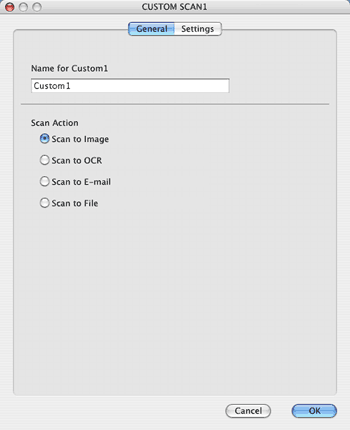
•
General
tab
Enter a name in
Name for Custom
(up to 30 characters) to create the button name.
Choose the type of scan from the
Scan Action
field.
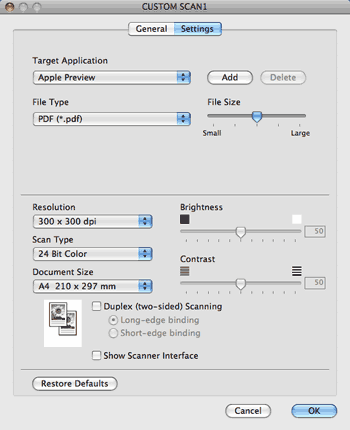
•
Settings
tab
Choose the
Target Application
,
File Type
,
Resolution
,
Scan Type
,
Document Size
,
Duplex(two-sided) Scanning
(if necessary),
Brightness
and
Contrast
settings.
Page Top