| | |
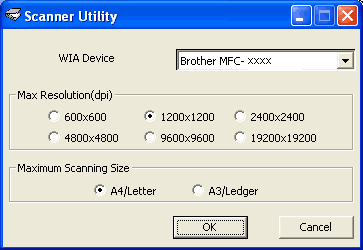
| • | For A4 scanning models If you want to set Legal size as the default size, check Legal in the Brother Scanner Utility dialog box. You must restart your PC for the new settings to take effect. |
 Note
Note| • | Running the utility You can run the utility by clicking the Scanner Utility located in Start/All Programs/Brother/MFC-XXXX menu (where XXXX is your model name)/Scanner Settings. |
 Note
Note| | |