

Home > Configuration > Configure the Target Machine (Active Directory Authentication Mode) > Enable Active Directory Authentication


Enable Active Directory Authentication
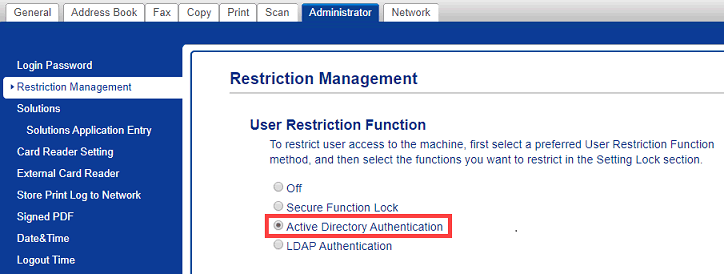
- Click the Administrator tab.
- Click User Restriction Function (or Restriction Management) in the left navigation bar.
 Click
Click if the navigation menu is not shown on the left side of the screen.
 - Select the Active Directory Authentication radio button.
- Click Submit.
Did you find the information you needed?