

Home > Introduction to Your Brother Machine > Set Up Your Scanner


Set Up Your Scanner
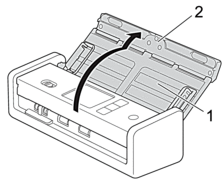
- Open the Top Cover (1) and push the Top Cover flap (2) firmly back until it locks into place.
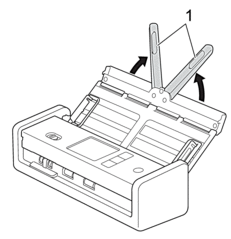
- Lift the Document Support Arms (1).
- CAUTION
- Do not use the ADF as a handle to carry the scanner.
Did you find the information you needed?