


| | |
| 1 | Load your document. |
| 2 | Click the  (ControlCenter2) icon in the menu bar and then select Open. (ControlCenter2) icon in the menu bar and then select Open.The ControlCenter2 window will appear. 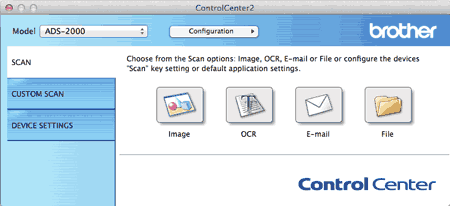  Note Note |
| 3 | While holding down the Control key click the E-mail button in the SCAN tab to change scan settings, such as file format, resolution, color or Scan-to application if needed (see Change Scan Settings). |
| 4 | Click the E-mail button in the SCAN tab. The message dialog appears. Click the Start Scanning button. Your default E-mail application will open and the image will be attached to a new, blank E-mail. |
| | |