

Bellissimo Portal Site
Thank you for using our cutting machine mat. This page provides important information about the cutting mat.
How to use mat for Bellissimo
Attaching Material to the Mat
-
Peel off the protective sheet from the adhesive side of the mat.
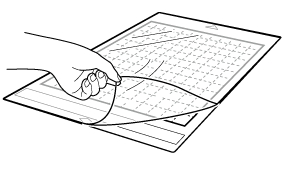
[Note]
- In order to maintain the adhesive strength, attach the protective sheet to the adhesive side of the mat after use.
-
Test attaching the material.
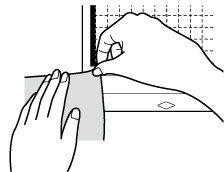
-
Attach the material to the mat’s adhesive side.
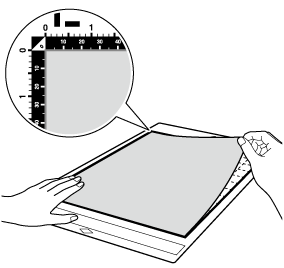
- Firmly attach all of the material to the mat so that there are no wrinkles or curling edges.
Loading the Mat for Cutting/Drawing
- Transfer the data to the machine.
-
Set the mode change lever (on the left side of the machine) to the ▲ position.
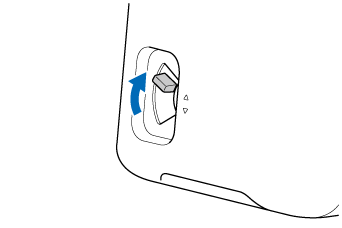
-
Make sure that the position of the feed roller is adjusted to
 (Cutting Mat).
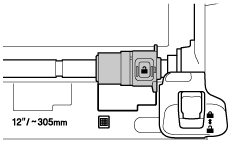
-
Align the mat to the arrow in the left corner (①) and insert the material under the feed rollers.
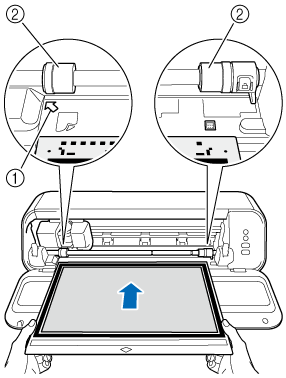
①Arrow for aligning mat
②Feed Roller -
While holding the mat level, press
 (Feed Button).
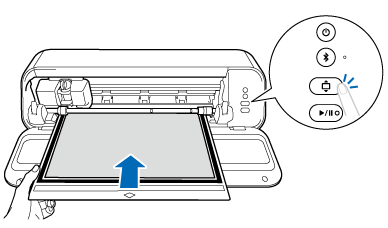
-
Press
 (Start/Stop Button).
-
When cutting or drawing is finished, press (Feed Button) to eject the mat.
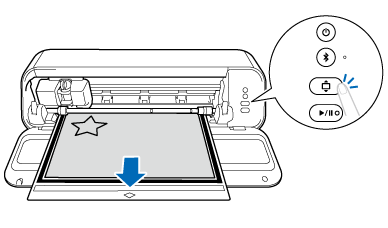
-
Use the included spatula to carefully peel off the material.
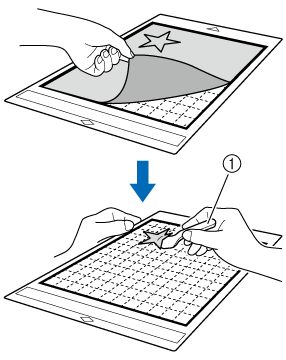
①Spatula
Note
- Do not use aerosol sprays near the machine. The spray products may become attached to the machine, causing damage.
- Do not attach adhesive materials to any part of the mat outside of the attaching area (grid) or to the back side of the mat. Otherwise, adhesive will become attached to the rollers, causing damage.
- When attaching material to the mat, do not allow it to extend from the attaching area. Otherwise, the mat may not be fed correctly.
- Do not affix masking tape, etc., over the scanning marks. Otherwise, the mat may not be correctly detected.
Mat Type
There are two types of mats, and each is best for different uses. See the Mat Type table below.
Standard Tack Adhesive Mat
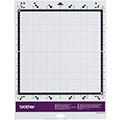 (CADXMATSTD12) |
This mat has a high adhesive strength.
Do not use it with printer paper, as the material may stick to the mat and become unusable. |
Low Tack Adhesive Mat
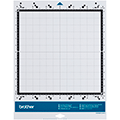 (CADXMATLOW12) |
This mat has a low adhesive strength.
It is suitable for printer paper and paper with a smooth surface. |
Reference Table of Mat and Material Combinations
|
Material
(thickness) | Standard Tack Adhesive Mat | Low Tack Adhesive Mat |
|---|---|---|
|
Printer paper (80 g/m² (0.1 mm)) | 🚫 | ✓ |
|
Scrapbook paper (thin) (120 g/m² (0.15 mm)) | - | ✓ |
|
Scrapbook paper (medium-thick) (200 g/m² (0.25 mm)) | ✓ | ✓ * |
|
Cardstock (280 g/m² (0.35 mm)) | ✓ | ✓ * |
|
Vellum, tracing paper (0.07 mm) | - | ✓ |
|
Plastic sheet (PP) (0.2 mm) | ✓ | - |
|
Vinyl (0.2 mm) | ✓ | - |
|
Sticker or seal (0.2 mm) | ✓ | ✓ |
✓ :
Recommended
- : Use with caution/Not recommended
🚫 : Not supported
✓* : When cutting paper with a smooth surface
- : Use with caution/Not recommended
🚫 : Not supported
✓* : When cutting paper with a smooth surface