

Home > Edit a Label > Add a New Line of Text to Your Label


Add a New Line of Text to Your Label
You can add up to seven lines to your labels, depending on the tape you are using. For more information, see Related Topics.
- Move the cursor to the end of the current line.
- Press
 .
. Line 1
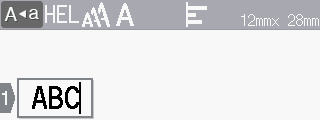
Line 2
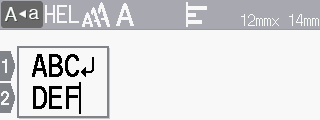
Printed Label Result


The maximum number of lines you can add depends on the tape width.
| Max Lines | Tape Width |
|---|
| 7 lines | 0.94" (24 mm) |
| 5 lines | 0.70" (18 mm) |
| 3 lines | 0.47" (12 mm) |
| 2 lines | 0.35" (9 mm) 0.23" (6 mm) |
| 1 line | 0.13" (3.5 mm) |
Did you find the information you needed?