

Home > Store and Manage Templates (P-touch Library) > Edit Templates Using P-touch Library (Windows)


Edit Templates Using P-touch Library (Windows)
- Start the P-touch Library.
Click .
*Depending on your computer's operating system, the Brother P-touch folder may or may not be created.
The main window appears.Overview of the Toolbar Icons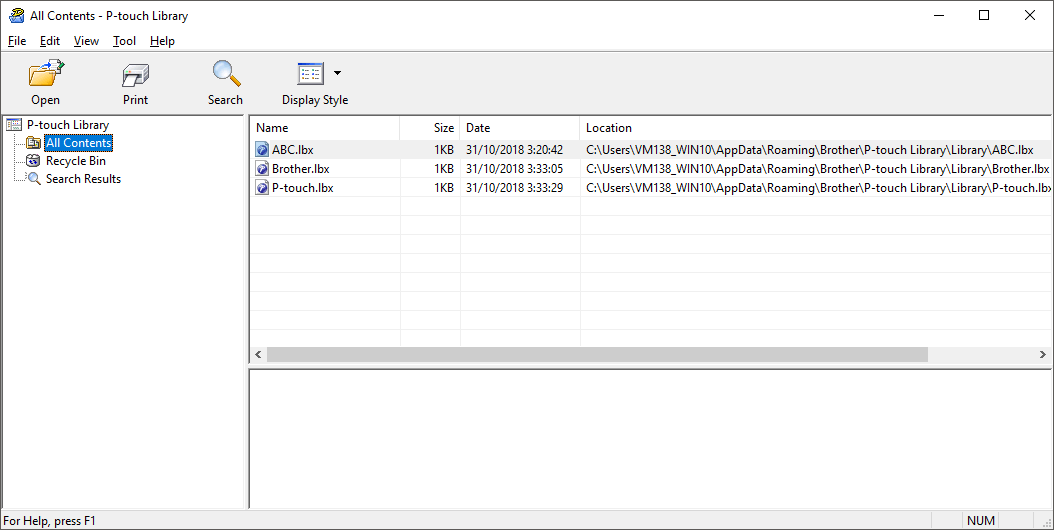
Icon Button name Function 
Open Click to open the selected template. 
Print Click to print the selected template.

Search Click to search for templates registered to P-touch Library. 
Display Style Click to change the file display style. - Select the template you want to edit, and then click Open.You can now edit the template.
Did you find the information you needed?