
MFC-J5740DW
 |
FAQs & Troubleshooting |
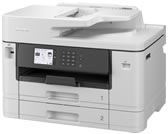
MFC-J5740DW
Categorized
How To / Troubleshooting
Setup / Settings
Consumables & Accessories / Routine Maintenance
Others
Popular
Updated:30/10/2026
These are the most viewed FAQs, ranked by popularity.
- 1.I updated my Windows 11 PC through Windows Update and I can no longer Print, Scan or Fax from my PC.
- 2.Change the Print Options to Improve Your Print Results
- 3.The printer status is Offline or Paused.
- 4.Set up your Brother machine on a wireless network (Windows/macOS)
- 5.Enable the Brother machine's network interface.
Latest
These are the latest FAQs, sorted by last update date.
01/10/2026
My Brother machine could not be found over the network when I installed drivers on my computer.
17/09/2026
I get notifications about Intel-based apps on my Mac with Apple silicon.
18/08/2026
I cannot scan via network.
10/08/2026
I cannot use some Brother apps or functions. (Windows 11)
05/08/2026
The error message "No machine found" appears when I installed drivers with USB connection (For Windows 11).
