
MFC-8840D
 |
FAQs & Troubleshooting |
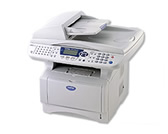
MFC-8840D
Categorized
How To / Troubleshooting
Setup / Settings
Consumables & Accessories / Routine Maintenance
Others
Popular
Updated:30/10/2026
These are the most viewed FAQs, ranked by popularity.
Latest
These are the latest FAQs, sorted by last update date.
01/10/2026
I'm using Mac OS® 8.6-9.2. How can I uninstall the drivers?
01/06/2026
How to identify your Operating System (OS).
05/02/2026
I cannot find a file downloaded from the Brother support website (For Windows)
16/04/2025
I cannot print from my computer via USB.
10/08/2023
Can I use my Brother printer with a 64 bit Linux distribution? (Linux)